
Key takeaways
- Disabling the identity provider account stops new sign-ins through single sign-on, but apps may keep local accounts, tokens and sessions.
- SCIM, a standard for provisioning, lets the identity provider create, update and deactivate accounts inside each connected app automatically.
- Not every app supports SCIM, and some features need specific plans or licenses, so inventory which apps are covered and which are manual.
- Access reviews catch what offboarding missed and what accumulated as people changed roles.
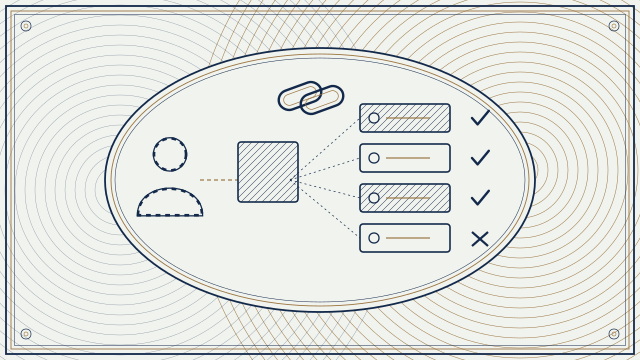
Start with the answer: turn off the person in your identity provider, and let SCIM carry that change into every application that supports it. Then run recurring access reviews to find what automation missed. Relying on a manual checklist of apps is the usual cause of ex-employee accounts that quietly stay active for months.
The gap behind single sign-on
Single sign-on, often called SSO, lets staff sign in to many applications with one identity from a provider such as Okta or Microsoft Entra ID. Deactivating that identity blocks the next sign-in through the provider. Several things can still survive.
- Local accounts. Many apps keep their own user record, and some allow a password or a separate login in addition to SSO.
- Active sessions. A signed-in browser session or mobile app may remain valid until it expires.
- Tokens and keys. Personal API tokens, app passwords and OAuth grants created by the user may continue to work.
- Shared accounts and admin roles. These are rarely tied to one person's identity.
- Licenses and data. Seats stay assigned, and data, mailboxes and files need an owner.
Each of these is a place where a former employee, or an attacker holding their credentials, can still act. Insider incidents and stolen-credential reuse often involve accounts that should have been closed.
What SCIM does
SCIM stands for System for Cross-domain Identity Management. It is a standard way for an identity provider to tell an application which users exist and what their attributes are. Okta's developer documentation describes SCIM as a standard for automating the exchange of user identity information between identity domains. Microsoft documents the same approach for Entra ID: its provisioning service connects to an application, creates and updates accounts as the directory changes, and can disable or remove them when a user is unassigned or deactivated. The result is that one action in the directory, such as setting a leaver's account to disabled, can deactivate the matching account in each connected app within the provisioning cycle.
Three practical points. First, timing: provisioning runs on cycles or events, so understand how long the lag is for each app and what to do for an urgent departure. Second, behavior: some apps deactivate, some delete and some only suspend, so check what each connector does with data and licenses. Third, coverage: SCIM support varies by application, and some vendors reserve it for higher plan tiers. Ask before you rely on it.
Build an application inventory
You cannot offboard from apps you do not know exist. List every application with the following facts: how users sign in, whether SCIM or another provisioning method is used, who owns the app, what data it holds, and how an account is removed when it is not automated. Include shadow applications found through expense reports, browser extensions and the consent grants in your identity provider. Mark each as automated, semi-automated or manual. The manual group is your offboarding checklist, and it should be short and assigned to named people.
Design the offboarding process
- Trigger from the source of truth. Let the human resources system or a ticket start the process, not an email to the help desk.
- Disable first, delete later. Disable the identity, revoke sessions and refresh tokens, and reset or remove multi-factor methods. Keep data for the retention period your policy sets.
- Reassign what matters: mailbox, files, calendar, ownership of shared resources, admin roles and approvals.
- Handle high-risk departures immediately, with a defined way to cut access in minutes.
- Close the manual apps and record who did it and when.
- Rotate shared secrets the person knew.
Timing matters. Write down a target, such as access removed by the end of the last working day, and measure how often you meet it.
Why access reviews matter
Even a good offboarding process misses things, and people accumulate access as they change roles. An access review asks the owner or manager to confirm, on a schedule, that each person still needs each entitlement. Microsoft documents access reviews in Entra ID Governance for groups, applications and roles, with reviewers, due dates and automatic actions when a reviewer does not respond. Okta offers comparable access certification in its governance products. Availability depends on your plan and licensing, so check what you have.
Use reviews to find dormant accounts, accounts for people who have left, privileged roles no longer needed and external guests who have outlived their project. Review high-risk applications and administrator roles more often than low-risk ones, and keep evidence of what was reviewed and changed. Auditors for frameworks such as SOC 2 and ISO 27001, and many cyber insurers, ask for exactly this evidence.
Common mistakes
- Assuming SSO covers every app. Check for local logins and API keys.
- Deleting an account before reassigning its data or revoking its tokens.
- Leaving contractors and guests out of the process.
- Running reviews with no consequence, so reviewers click approve on everything.
A short checklist
Application inventory with provisioning status, SCIM enabled where supported, a manual list with named owners, an offboarding trigger from the source of truth, session and token revocation, a stated timing target, and access reviews on a schedule with evidence kept. Our cybersecurity team can help you put this in place. Start with our Cybersecurity service.
Sources
- Okta Developer, SCIM overview
- Microsoft Learn, How provisioning works in Microsoft Entra ID
- Microsoft Learn, What are access reviews?
This article is general information, not legal or compliance advice. Rules and product behavior differ by sector, contract and version; confirm details with your counsel, auditor and vendor documentation. Last reviewed .
Keep reading
Next · SecurityVulnerability Scanning vs. Penetration Testing: What Each Finds and How OftenA vulnerability scan is an automated check for known weaknesses. A penetration test is a goal-driven exercise by people who try to exploit them. You usually need both, at different rhythms. Here is what each finds, what each misses and how often to run them.7 min read- What a Code and Endpoint Security Review Finds in the First 24 Hours7 min
- Before Anyone Scans Your Website: Verification and Written Authorization7 min
Need help with this?
We find out whether everything you run is safe from attackers, then we fix it.
Cybersecurity