
Key takeaways
- Adversary-in-the-middle (AiTM) phishing sits between the user and the real sign-in page, then steals the session token issued after MFA succeeds.
- A stolen token lets an attacker act as the user without a password or a prompt, until the token expires or is revoked.
- Phishing-resistant MFA, such as FIDO2 security keys and passkeys, defeats the relay because the credential only works for the real site.
- Token binding, device compliance, short sessions and sign-in monitoring limit what a stolen token can do. Microsoft Entra documents token protection as one such control.
Start with the answer: MFA stops most password attacks, but it does not stop an attacker who steals the session after you sign in. Adversary-in-the-middle phishing relays your login through a fake page, collects the password, forwards the code or approval to the real service and keeps the session token that comes back. The fix is a layered one: phishing-resistant MFA to prevent the relay, and device-bound sessions, tight policies and monitoring to limit a token that gets stolen anyway.
How the attack works
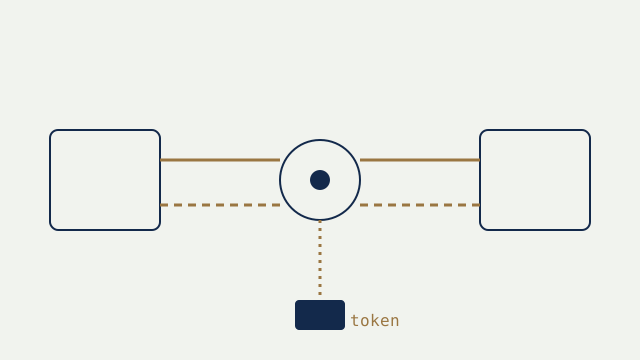
The user clicks a link in an email or message and lands on a page that looks exactly like the Microsoft 365 or Google sign-in. The page is a proxy. Everything the user types goes to the real service, and everything the real service answers goes back to the user. When the user approves the MFA prompt, the real service issues a session cookie or token. The proxy keeps a copy. From then on the attacker holds a valid, already authenticated session.
Nothing in this chain breaks MFA. The user really did complete it. The weakness is that the code, push approval or text message can be passed along by a person or a proxy, and the resulting token is portable.
What a stolen token allows
With a valid session the attacker can read mail, create inbox rules that hide replies, send payment-change requests from a trusted mailbox, register their own MFA method to keep access and reach files and chat. Many business email compromise cases follow this pattern. A password reset alone does not end the session, so the attacker may stay in until sessions are revoked.
Layer 1: make the relay fail
Phishing-resistant MFA ties the credential to the genuine website address. FIDO2 security keys and passkeys do this: the browser will not release the credential to a look-alike domain, so the proxy gets nothing useful. CISA recommends phishing-resistant MFA as the strongest option and describes SMS codes and push approvals as weaker because they can be relayed or tricked. Start with administrators, finance staff and executives, then widen.
Layer 2: limit what a token can do
Microsoft documents Token Protection in Entra Conditional Access as a session control that tries to reduce token replay by accepting only sign-in session tokens that are cryptographically bound to the device they were issued to. Microsoft's own page notes that it should be used as part of defense in depth, and that platform and application support is limited and changing, so check the current documentation before you plan around it.
Related controls help even where token binding is not available:
- Require compliant or managed devices for access to mail and files, so a token replayed from an unknown machine fails the policy.
- Use location and risk conditions, and block legacy authentication that bypasses MFA.
- Shorten session lifetimes for administrators and sensitive apps, and require fresh sign-in for risky actions.
- Restrict who can register new MFA methods, and require strong proof when they do.
Layer 3: detect and respond
Assume some tokens will be stolen. Watch for sign-ins from a new country or device right after an approval, impossible travel, new inbox rules, new MFA registrations and unusual mail forwarding. When you suspect theft, revoke the user's sessions, reset the password, remove unknown MFA methods and review mailbox rules. Doing only the password reset is the classic mistake.
A practical order of work
- Week 1: block legacy authentication, turn on sign-in and audit logging, and alert on new inbox rules and MFA registrations.
- Weeks 2 to 4: issue security keys or passkeys to administrators and finance, and enforce them for those groups.
- Weeks 4 to 8: require managed devices for sensitive apps, shorten admin sessions and test token protection where your apps support it.
- Ongoing: train staff to report sign-in pages they reach from a link, and rehearse the revoke-and-reset steps.
Where we help
Our cybersecurity team reviews identity configuration, plans phishing-resistant rollouts that fit how your people work, and writes the response steps for stolen sessions. See our Cybersecurity service to start. We describe vendor features as published at the time of review and do not guarantee that any control prevents every attack.
Sources
- Microsoft Learn, Token Protection in Microsoft Entra Conditional Access
- CISA, More than a Password (multi-factor authentication)
- CISA, Implementing Phishing-Resistant MFA (fact sheet)
This article is general information, not legal advice. Standards and vendor documentation change; confirm current requirements with your regulator, counsel and IT provider. Last reviewed .
Keep reading
Next · SecuritySecuring Microsoft 365 for a 50-Person Company: The First 30 DaysA small company can close most Microsoft 365 risk in a month by working in a fixed order: admins, sign-in, email, devices, then logging. CISA's SCuBA baselines provide the checklist.7 min read- What a Code and Endpoint Security Review Finds in the First 24 Hours7 min
- Before Anyone Scans Your Website: Verification and Written Authorization7 min
Need help with this?
We find out whether everything you run is safe from attackers, then we fix it.
Cybersecurity