
Key takeaways
- Immutable means the stored copy cannot be modified or deleted during its retention period, even with stolen administrator credentials.
- WORM, write once read many, is the principle. Object lock, immutable blob storage and hardened repositories are implementations of it.
- Compliance-style locks cannot be shortened by anyone, so set them with care. Governance-style locks can be bypassed by users with special permission.
- Immutability protects against deletion, not against backing up already-corrupted data. You still need restore tests.
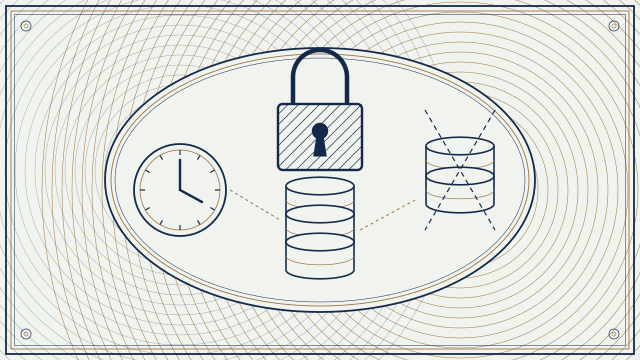
Start with the answer: keep at least one copy of your backups in storage that nobody, including your own administrators, can change or delete until a set date. That is what immutability means. It turns a ransomware attack on your backup system from a disaster into an inconvenience, because the attacker cannot erase the copy you will restore from. It is one part of a sound plan, and it works only if you test restores.
Why attackers go after backups
Modern ransomware operators know that a company with good backups will not pay. So before they encrypt production systems they look for the backup console, the backup server, stored credentials and cloud storage keys. With administrator access they delete restore points, shorten retention or encrypt the repository. Immutability removes that option for locked data: the storage itself refuses the delete request.
The terms, in plain language
- WORM: write once, read many. Data is written once and cannot be overwritten or removed until its retention ends. Regulators in some sectors have long required it for records.
- Object lock: a WORM feature for object storage, where each object or version carries a retention date or a legal hold.
- Immutable storage: the Microsoft Azure term for WORM on blob storage.
- Hardened repository: a backup repository on a Linux server configured so that the backup software can write but not delete during the immutability period.
- Air gap: a copy with no live network path to production, such as offline media or storage reachable only during a brief window. A logical air gap uses isolation and access controls instead of a physical break.
- Retention period: how long the lock lasts. Legal hold: a lock with no end date that stays until someone removes it.
Amazon S3 Object Lock
Amazon Web Services documents Amazon S3 Object Lock as a way to store objects using a write-once-read-many model. It works on versioned buckets and has two retention modes. In governance mode, users cannot overwrite or delete a protected object version or change its lock settings unless they have special permissions. In compliance mode, a protected version cannot be overwritten or deleted by any user, including the root user of the account, and its retention period cannot be shortened while it runs. You can also apply a legal hold, which prevents deletion until it is removed. Use compliance mode for your last-resort copy, and choose the period with care, because the data stays stored until it ends and you cannot undo the lock. Pair object lock with separate accounts, tightly limited credentials and multi-factor authentication for the people who can change bucket policy.
Microsoft Azure immutable storage
Microsoft documents immutable storage for Azure Blob Storage as a way to store business-critical data in a WORM state. There are two kinds of policy. A time-based retention policy keeps data immutable for a specified interval, and it can be applied at the container level or the version level. A legal hold keeps data immutable until it is explicitly cleared. A time-based policy can be unlocked while you test it and then locked. Once locked, it cannot be removed, and the interval can only be extended within the limits Microsoft describes. As with Amazon, test in an unlocked or short-period mode first, then lock the production policy.
Veeam hardened repository
For backups kept on your own servers, Veeam documents the hardened repository: a Linux server where the backup files are made immutable for a chosen number of days using a file attribute that only a privileged local account can change. The backup software uses single-use credentials for the transfer, and the permanent credentials for the Linux host are not stored in the backup console, so an attacker who takes over the console cannot delete the protected files. Veeam's documentation also covers hardening guidance such as disabling remote access that is not needed, keeping the time source trustworthy and controlling who has physical and console access. The usual design is a local hardened repository for fast restores and an object-lock copy offsite.
What immutability does not do
- It does not stop you from backing up encrypted or infected data. Keep several restore points and scan them.
- It does not protect the backup software or the keys. Protect the console, use separate credentials and keep recovery documentation outside the environment.
- It does not remove cost. Locked data cannot be deleted early, so plan capacity.
- It does not prove you can restore. Only a restore test does.
Putting it into a plan
Follow the well-known 3-2-1 idea: three copies, on two kinds of media, with one offsite, and add that at least one copy is immutable or offline. Set the immutability period longer than the time it would take you to notice an attack, which can be weeks. Separate the backup account from your daily administration. Require multi-factor authentication and approval for changes to retention. Test a full restore of a critical system on a schedule, time it and write down the steps. Keep a printed or offline copy of the recovery runbook and the contacts you will need.
A short checklist
One immutable copy at least, compliance-style lock for the last-resort copy, retention longer than detection time, separate accounts and multi-factor authentication, monitored changes to retention settings, restore tests on a schedule, and a recovery runbook stored outside the environment. Our cybersecurity team can help you put this in place. Start with our Cybersecurity service.
Sources
- Amazon Web Services, Locking objects with Amazon S3 Object Lock
- Microsoft Learn, Store business-critical blob data with immutable storage in a WORM state
- Veeam Help Center, Hardened repository
This article is general information, not legal or compliance advice. Rules and product behavior differ by sector, contract and version; confirm details with your counsel, auditor and vendor documentation. Last reviewed .
Keep reading
Next · RegulationEmail Archiving for Broker-Dealers and Advisers: SEC 17a-4 and FINRA 4511 in Plain WordsBroker-dealers must keep business email in a form regulators can search and trust, and advisers have a parallel rule. This guide explains what the rules say, what 'WORM or audit trail' means, and how to check an archive.7 min read- SPF, DKIM and DMARC: Why Email Authentication Matters, and How a Resilient Exchange or Microsoft 365 Platform Is Run9 min
- Backups That Actually Restore: 3-2-1, Immutability, Restore Tests and Hurricane Season for Coastal Firms9 min
Need help with this?
Cloud cost review and management, without compromising on quality or security.
Cloud Management